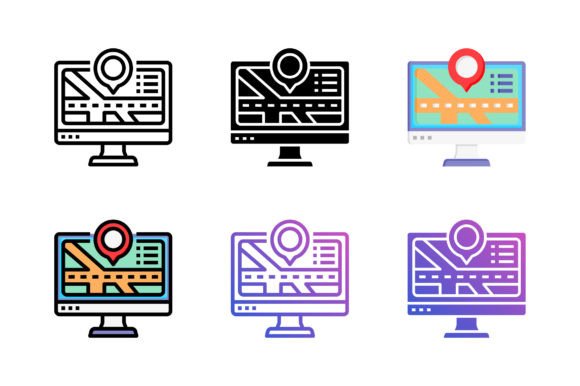
Map and Location Icons: Versatile and Customizable
Map and Location Icons are essential graphic elements that help users navigate, locate, and understand geographical information. These icons are designed to be visually appealing and easy to recognize, making them a valuable tool for various applications.
Why Use Map and Location Icons?
These icons serve multiple purposes, from enhancing user interfaces to adding clarity in presentations. They are particularly useful for:
- Website Design: Improve navigation and user experience on travel, real estate, or local business websites.
- Mobile Apps: Enhance the functionality of apps that require location-based services, such as maps, weather, or delivery services.
- Print Materials: Add visual appeal to brochures, flyers, and other print media that need to convey location information.
Key Features of Our Map and Location Icons
Our Map and Location Icons come with several features that make them stand out:
- Ready for Use: All icons are pre-designed and ready to be integrated into your projects.
- Pixel Perfect: Each icon is meticulously crafted to ensure high-quality visuals at any size.
- Clean Nodes: The icons are created with clean and efficient vector paths, making them easy to edit and customize.
- Multiple Styles: Available in 6 styles—Color, Flat, Line, Solid, Gradient Line, and Gradient Flat—to suit different design needs.
File Formats and Compatibility
To ensure maximum flexibility, our icons are provided in multiple file formats:
- EPS 10 File: Ideal for professional design software like Adobe Illustrator.
- SVG File: Scalable Vector Graphics format, perfect for web use and responsive designs.
- PNG File: High-quality raster images suitable for web and print.
- PDF File: Portable Document Format, ideal for sharing and printing.
Customization and Usage
The beauty of these Map and Location Icons lies in their versatility. You can easily:
- Edit and Change Colors: Customize the icons to match your brand's color scheme.
- Modify the Icon: Adjust the design to fit specific project requirements.
- Use in Various Contexts: Apply the icons in websites, apps, software, print, symbols, infographics, and more.
Real-World Applications
Here are some practical examples of how you can use these icons:
- Travel Websites: Use the icons to mark tourist attractions, hotels, and restaurants on interactive maps.
- Event Planning: Incorporate the icons into event invitations and schedules to indicate venue locations.
- Educational Materials: Enhance geography lessons with clear and engaging map and location graphics.
Considerations Before Using Map and Location Icons
Before integrating these icons into your projects, consider the following:
- Audience Needs: Ensure the icons meet the visual and functional expectations of your target audience.
- Consistency: Maintain a consistent style across all your design elements to create a cohesive look.
- Accessibility: Make sure the icons are clear and easily distinguishable, especially for users with visual impairments.
Conclusion
Our Map and Location Icons offer a versatile, customizable, and high-quality solution for a wide range of design needs. Whether you're a beginner or a seasoned professional, these icons can help you create visually appealing and functional designs. Thank you for choosing our icons, and we hope they add value to your projects.